
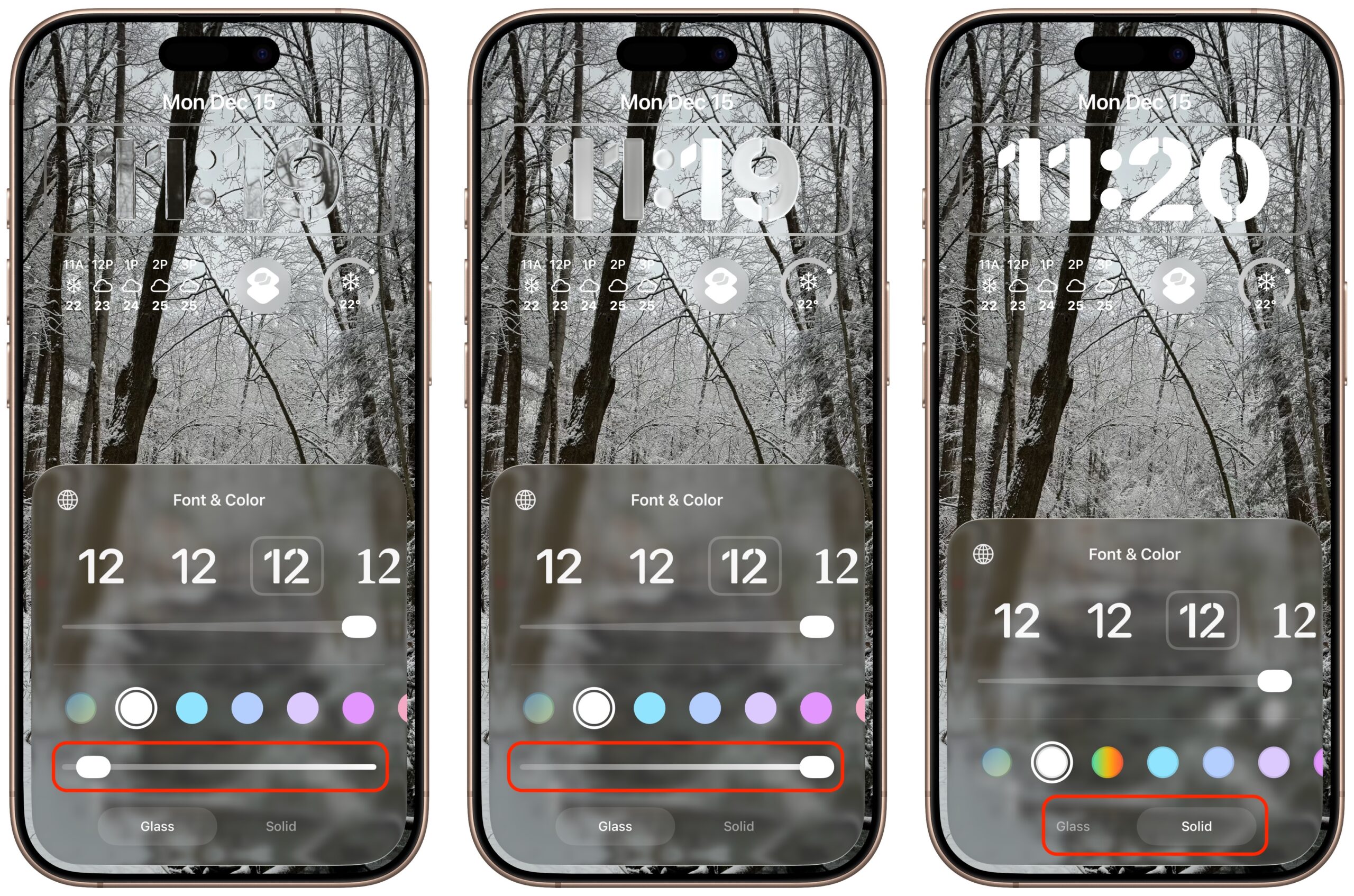
One place where the Liquid Glass transparency in iOS 26 and iPadOS 26 can be annoying is the time display on the Lock Screen. Liquid Glass tries—but often fails—to adjust the clock’s transparency so it’s readable over whatever photo you chose or the Photo Shuffle option displayed. Starting in iOS 26.2 and iPadOS 26.2, you can manually adjust the clock’s transparency: touch and hold the Lock Screen, tap Customize, tap the clock, tap Glass, and drag the Transparency slider (left and middle). If it’s still not readable enough, you can switch to the previously available Solid view (right).
(Featured image by iStock.com/Wavebreakmedia)